

The main difference between Cel-Fi Mobile and Stationary is the Mobile has the best settings for moving applications, tower switching and network protection. The Stationary is better suited to fixed applications.
If you purchase a Stationary unit it’s also location locked and needs to be registered each time you move to a new location.
If you decide to use this unit in a vehicle then you have the option of putting it in Mobile mode to turn this off. The model you choose also needs to be considered as the power supplies and antennas are different. The switching option comes with both Stationary and Mobile models. The idea is to give the customer more flexibility between using in the house or the car, have the best setting for the application and also keep the mobile network safe
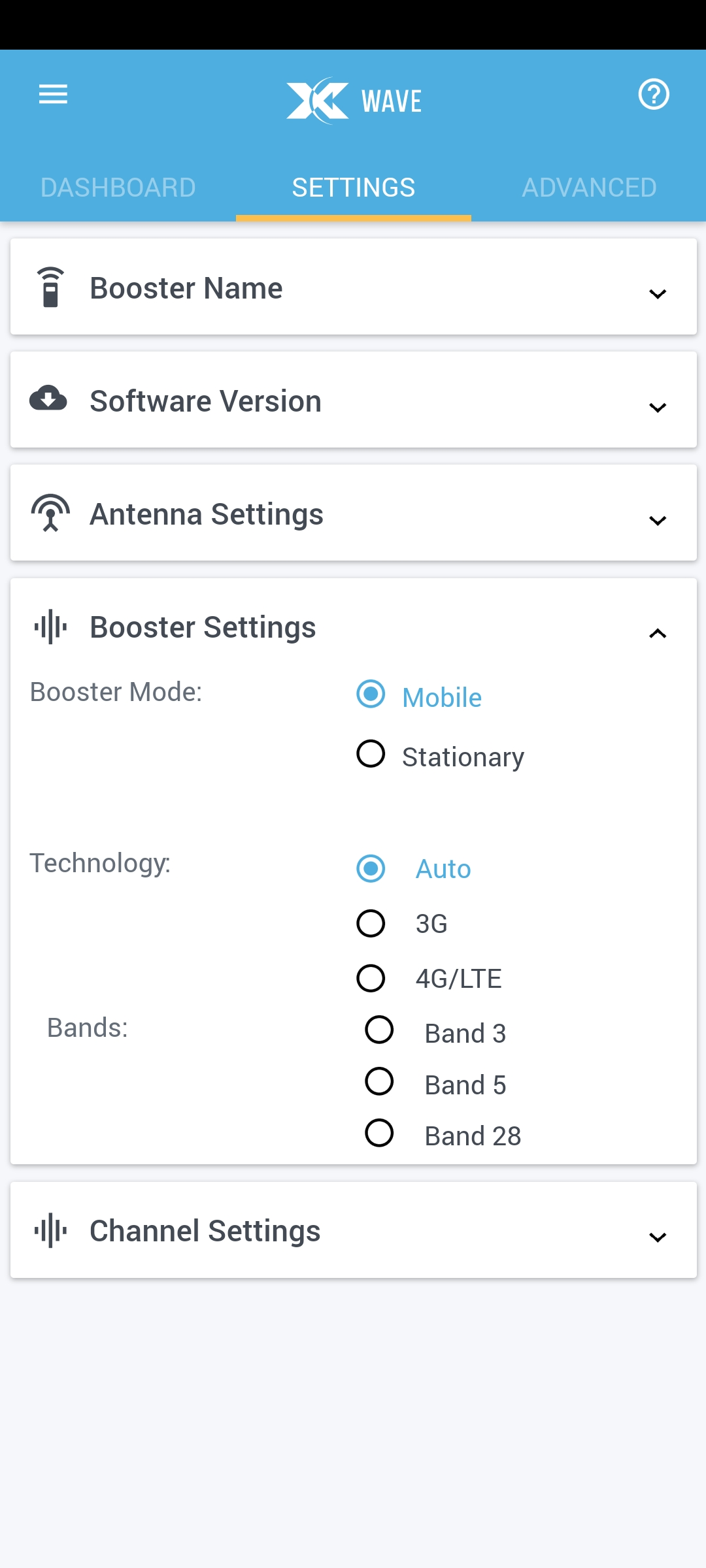
Below are the steps for changing Booster Mode:
- Install the Wave app “Installing Cel-Fi Wave“
- Make sure your device has a decent internet connection.
- Go to the Settings page and open the Booster Settings section.
- Select the required booster mode- Mobile or Stationary.
- An acknowledgement and registration notification will pop up, click Accept/Continue.
- Wait until the Update and Installation is complete.
- After installation click Ok.